Up until recently, background images in emails with Outlook 2007, 2010, 2013 and Outlook.com caused a problem. Using a special technique we can now use background images again safely with these emails.
In the simplified editor, the Choose an image button easily allows you to add a background image in your email.
Learn more about adding images >
To remove a background image, click the X.
Notes:
- transparent png also work, except for some versions of Lotus Notes.
- an animated gif image will not be animated if you inserted it in your email background.
- to easily find tileable images in the search engines, you can use the following keywords: "pattern", "tile", "seamless".
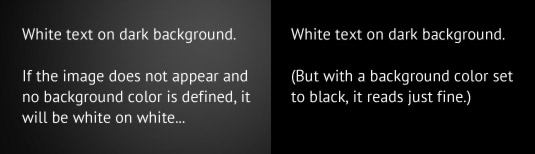
- Remember to choose a background color in case the image is not displayed.
In expert mode, it is always possible to add background images either in the background of the email or in a table cell, provided you are comfortable with HTML email coding.